
A map pin can look reassuring. But when was that position reported, and how precise was it? In a lone worker app, location is useful context for a responder. It is not confirmation that someone is still there or that they are safe. Here is how to read that context in LoneApp.
At a glance
- Read the location timestamp before relying on a map marker.
- Consider reported accuracy alongside the activity and check-in record.
- Follow your response plan when contact is due or an alarm needs attention.
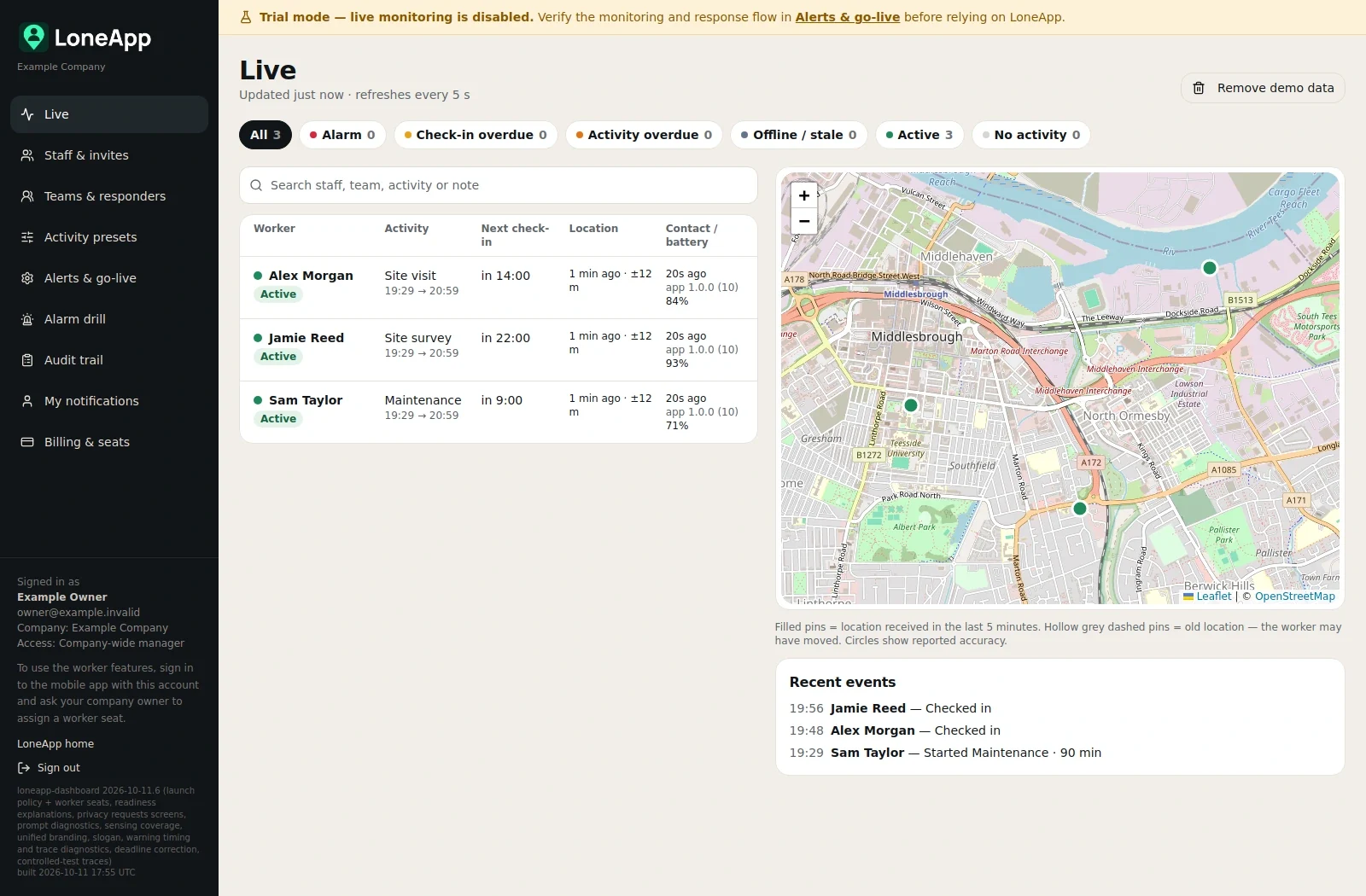
Read the time as well as the place
LoneApp’s manager dashboard shows last reported locations alongside staff activity, upcoming check-ins and battery information. Its timestamps help managers recognise older information. Open a worker’s details to review recorded activity and events when you need more context.
Treat the displayed position as a report from a particular time. A dashboard that has just refreshed can still be showing an older location. Those are two different things: refreshing the page does not prove that the worker’s phone has supplied a new position.
Check the reported accuracy
The manager guide explains that the shaded circle shows reported location accuracy. Read it with the timestamp and marker. Avoid treating a pin as an exact doorway, room or route through a building.
Keep location information separate from welfare information. A recent position helps you understand where a device reported from; a check-in records a different action. Neither should be used to dismiss an alarm or skip your agreed response procedure.
Practical example: a mobile repair coordinator
Consider a coordinator supporting a repair worker who has two appointments at neighbouring commercial units. The map shows a position near the first unit, but its timestamp is earlier than the planned move to the second. A check-in is now due.
The gap is uncertainty about the worker’s current position. The coordinator should not assume the worker stayed at the first unit, completed the second visit or simply forgot to check in. Nor would the old pin alone establish that an incident had occurred.
Under the team’s agreed procedure, the responder could compare the location time with the recorded activity and check-ins, then use the agreed contact method. Any task or location note may help explain the intended visit. If contact cannot be established, the responder would follow the escalation plan without waiting indefinitely for the map to change.
When passing information to another responder, the coordinator should distinguish the last reported position from the planned destination and any location confirmed directly by the worker. The lesson is to share what is known, when it was known and what remains uncertain.
Build this into your responder briefing
HSE’s guidance for Great Britain calls for monitoring, keeping in touch and regularly testing contact systems and emergency procedures. Use a dashboard example in that practice: ask the responder to identify an older location and explain their next action.
Agree contact and escalation arrangements from your risk assessment. LoneApp supports those arrangements; it does not replace risk assessment, safe working or your organisation’s responders. A staffed alarm receiving centre is not included.
Next step: at your next responder briefing, open a demonstration record and practise separating location age, reported accuracy and check-in status. Use the current Support guide for the dashboard instructions.