See current activity
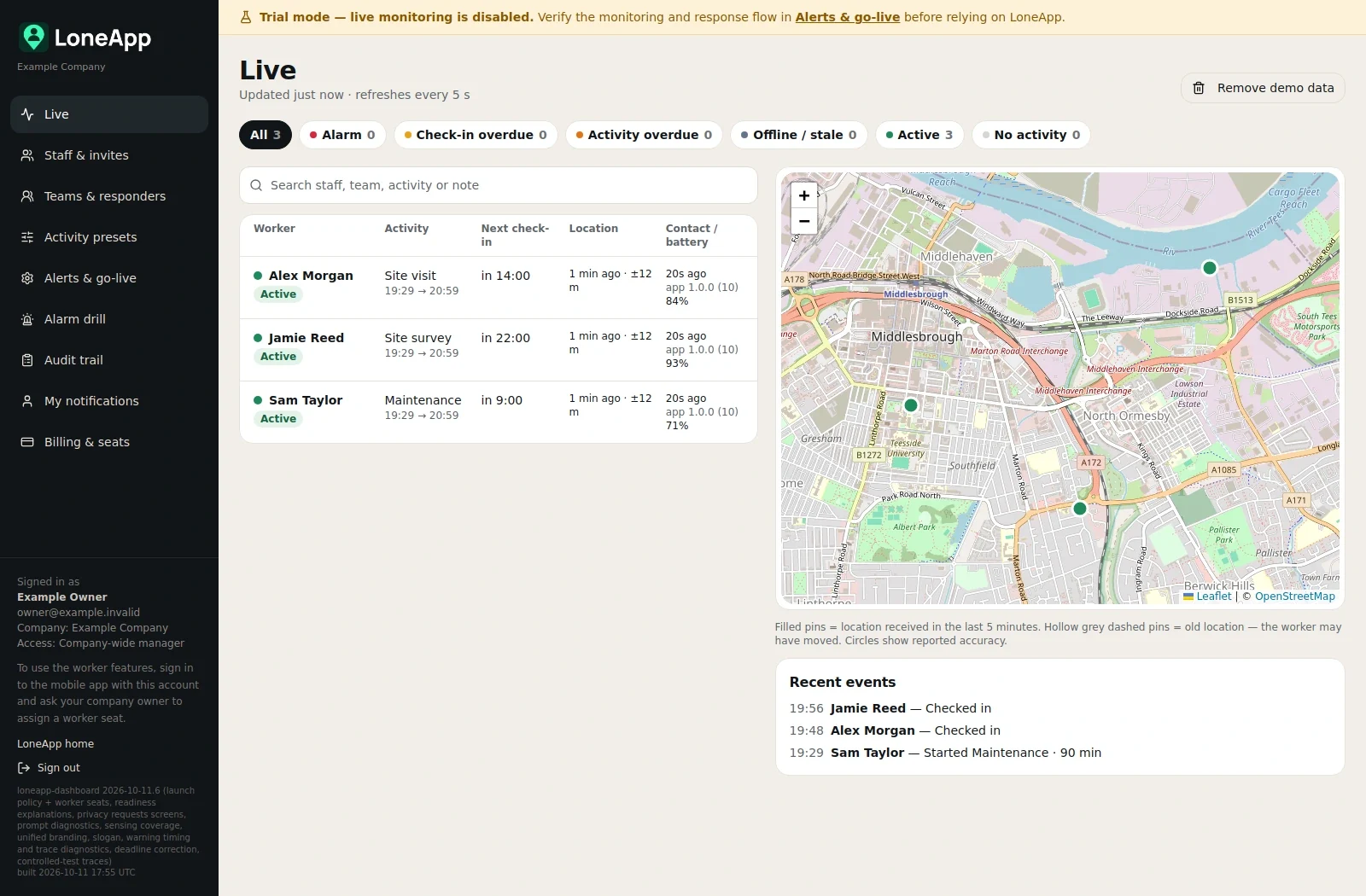
View staff status, upcoming check-ins, battery information and last reported locations. Timestamps help you recognise older information.

THE MANAGER DASHBOARD
See who’s working, when their next check-in is due and where they last reported a location. Open LoneApp in your browser, at your desk or on your phone.
THE CONTEXT YOU NEED
One place for your people, their activities and the settings that support them.
View staff status, upcoming check-ins, battery information and last reported locations. Timestamps help you recognise older information.
Set activity presets, check-in timings and overdue allowances. Organise staff into teams with primary and backup responders.
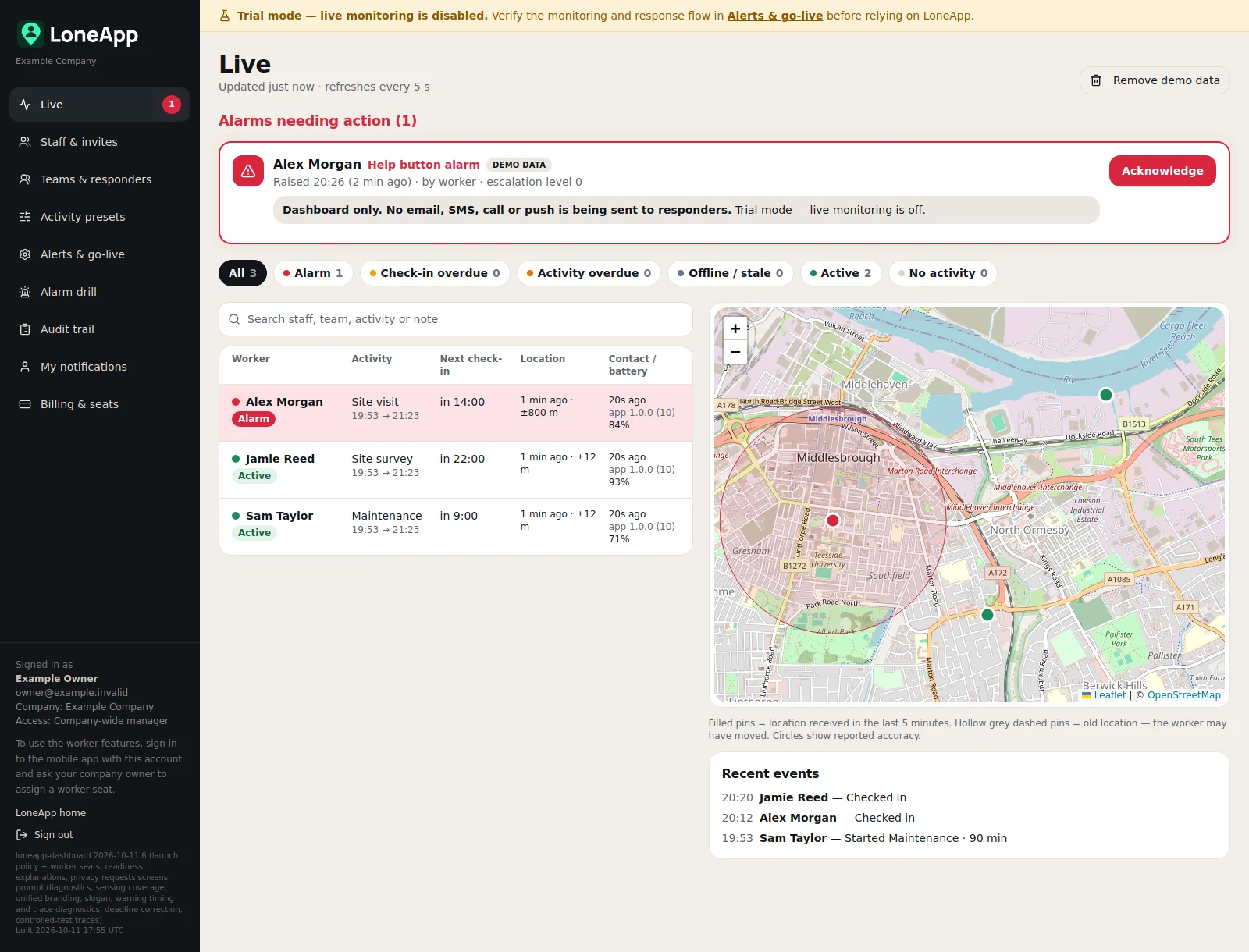
Bring alarms and response updates into the same view, so your nominated responders have the context to take action.
AWAY FROM YOUR DESK?
Use the same dashboard in your phone’s browser. A clearly labelled Menu takes you to staff, teams, settings and the other pages your account can access.
Company owners can also manage Billing & seats. You don’t need a separate manager app.
Manager sign in ↗Already signed in? Find your way around.
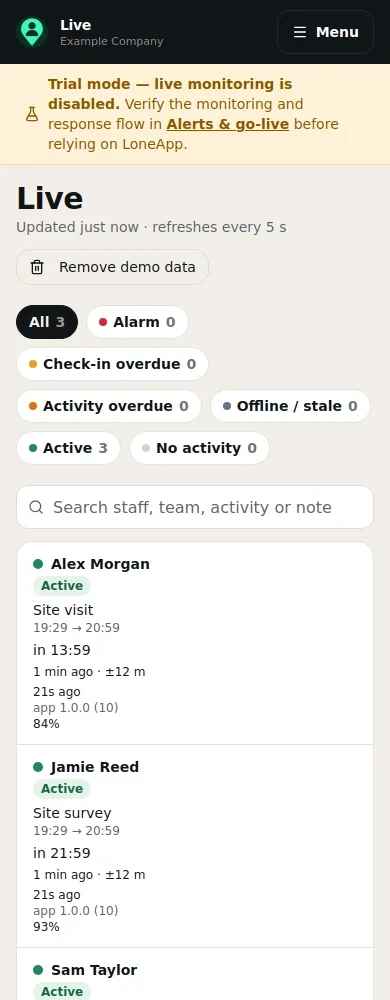
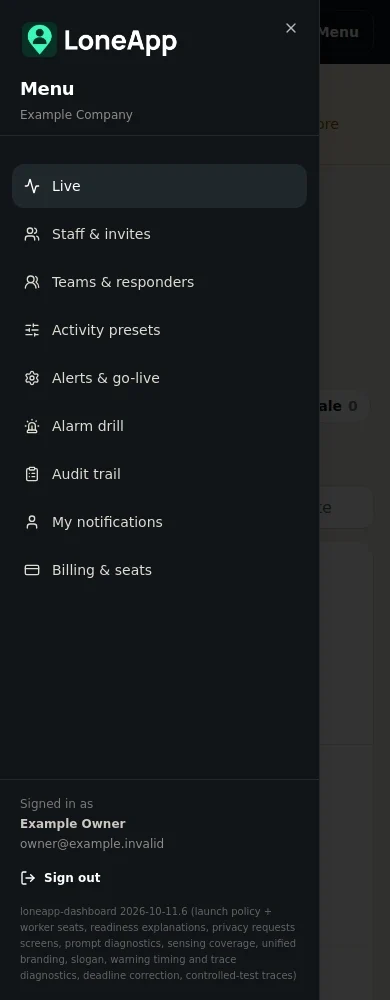
Dashboard example with fictional demonstration data.
WHEN ATTENTION IS NEEDED
See who needs attention, what triggered the alarm and their latest reported location. The dashboard brings the useful detail together for your nominated responders.
Setup and response guidance is kept in Support, ready when you need it.
KEEP THE USEFUL DETAIL
See the working day as it develops, then look back at recorded events when you need to.
Choose routine emails for activity starts and finishes, including late finishes. Email availability depends on your live-monitoring setup.
Emails for every check-in are optional and off by default. Check-ins are still recorded in the dashboard.
Review recorded check-ins, warnings, alarms and response actions together. Find the detail without crowding your team overview.
Your organisation provides the responders and response arrangements. Delivery depends on connectivity, permissions and the channels configured. Read the setup guidance.
ONE COMPANY SUBSCRIPTION
£3 per worker seat per month plus VAT. Management dashboard access is included.
Billing & seats is available to the company owner. Managers who only use the dashboard do not need paid worker seats.
Staff & invites shows assigned seats, reservations for invitations and what’s available. Staff do not pay for their own subscriptions.
Paying for seats does not activate alarm notifications. Complete your company’s go-live checklist, then a company-wide manager enables live monitoring in Alerts & go-live.
GET STARTED WITH LONEAPP
Your company manages the seats. Staff use the free worker app.